Start with the nearest place.
Open the app to find nearby landmarks from Apple Maps. Search expands outward in 50-metre bands, up to five kilometres.
 WalkAware
The museum around the corner. A library you’ve passed a hundred times. Notice a little more of the places around you, right from your wrist.
watchOS 10 or later · No account · No ads
Open the app to find nearby landmarks from Apple Maps. Search expands outward in 50-metre bands, up to five kilometres.
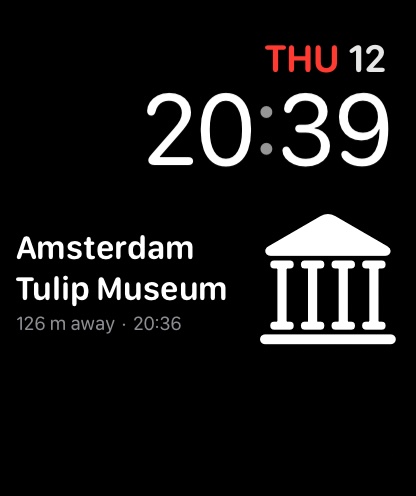
A compatible complication shows the place and measured distance. A check time helps you see how recent the information is.
Where a reliable match is available, read a short Wikipedia description. Sources keeps the credit, licence and article addresses close at hand.
WalkAware works as a standalone Watch app. No iPhone companion interface to manage and no account to create.
Discovery targets one minute while movement is detected and three minutes otherwise. Your Watch decides when background updates can run.
Places depend on Apple Maps coverage. Distances are straight-line measurements, not walking routes. Descriptions aren’t available for every place. Continue on iPhone uses Apple Handoff to offer source pages on your phone; a compatible setup is required. Keep your attention on your surroundings.
Explore the support guide →